
EPUB reader for Mac
How to Read EPUB Files on Mac with Apple Books
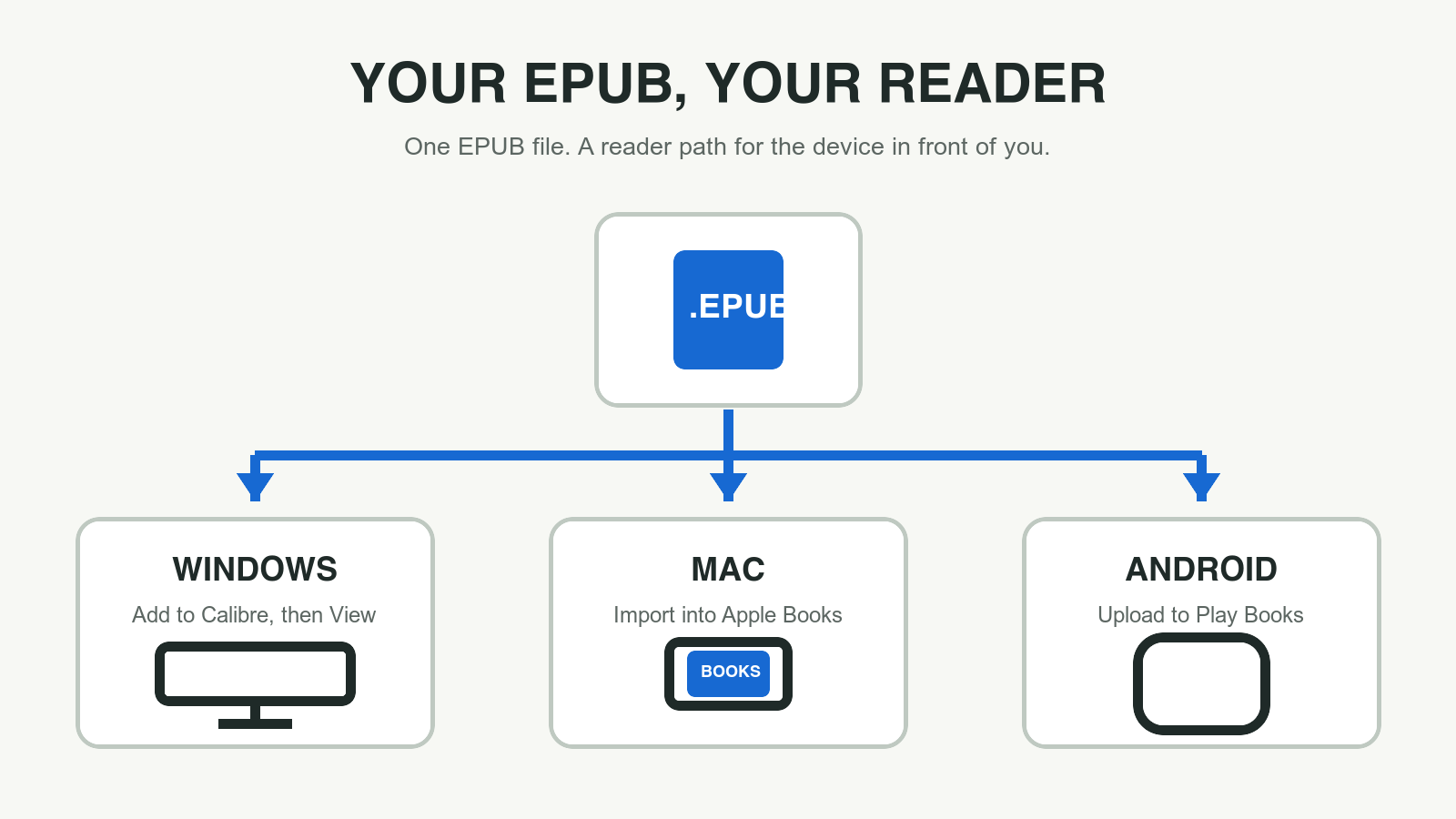
A Mac can open many EPUB books directly in Apple Books, but the reliable move is to import the file into Books rather than hope a double-click chooses the right app. Apple documents the exact workflow: open Books, choose File > Import, select the EPUB, or drag the file into the library.
Direct answer
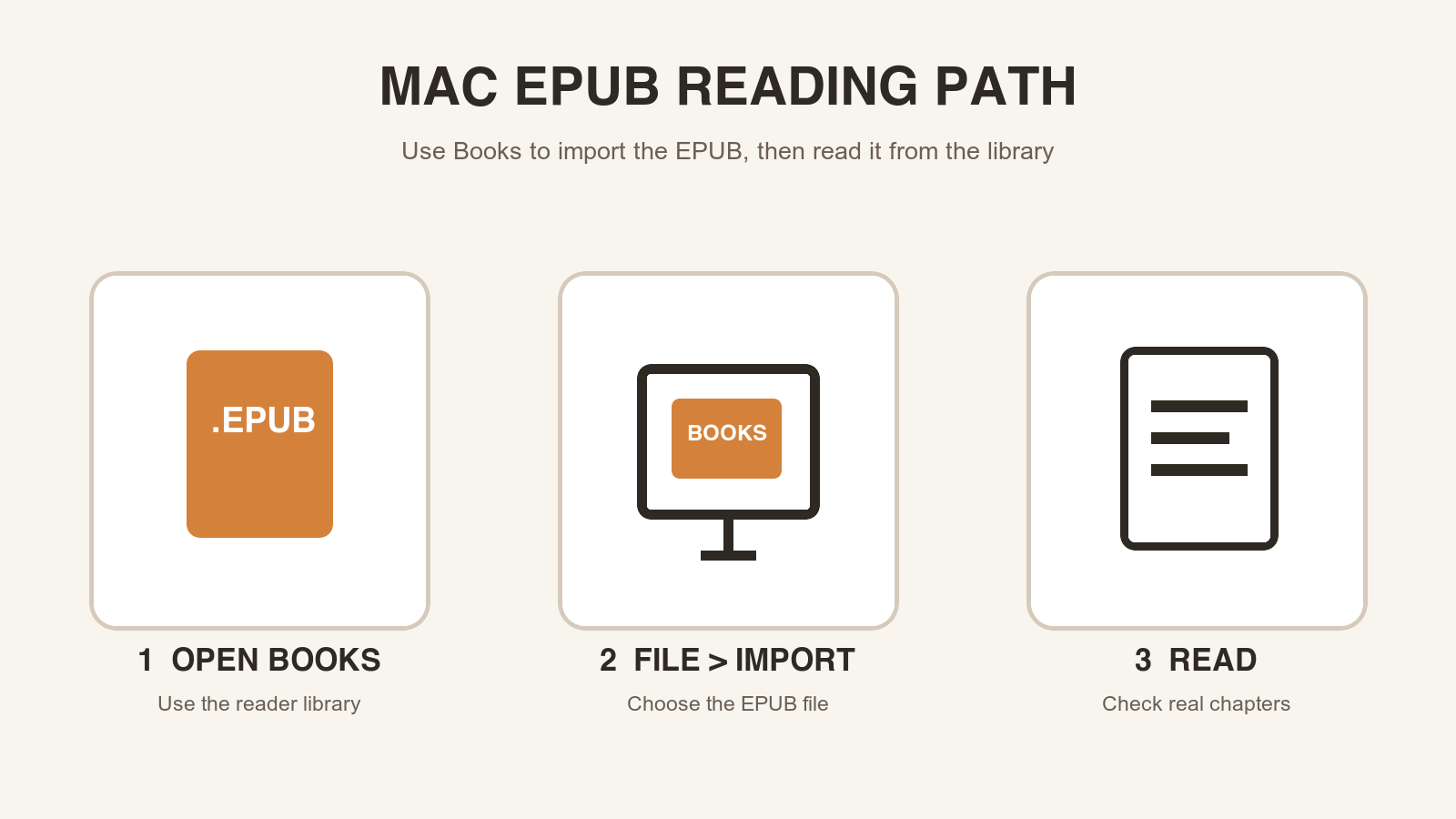
To read an EPUB on a Mac, open Apple Books, choose File > Import, select the .epub file, and open it from your library. Apple says Books can import many EPUB books. If the file is instead an ACSM, AZW, or ODM handoff file, use the third-party app associated with the provider rather than treating it as a normal EPUB.
Import the EPUB instead of trusting a double-click
When the file arrives through a browser, email attachment, or cloud folder, a double-click can leave you unsure which application handled it. Importing through Books removes that ambiguity. The book becomes a library item, and the app intended to render it is the one opening the file.
Apple's Books guide explicitly says that you can import content not obtained from the Book Store, including many EPUB books. It gives two paths: File > Import and drag and drop. That is better guidance than a generic extension workaround because it matches the actual reading surface on the Mac.
This approach is particularly useful after converting a PDF. The converter creates the EPUB; Books lets you judge how that EPUB reads when text reflows around the Mac window. These are separate jobs. A successful import confirms the reader path, while a chapter check shows whether the conversion deserves to be kept.
Import an EPUB into Books with the official Mac path
Open Books on the Mac, then choose File > Import. Select the EPUB file and confirm the import. You can also drag and drop books into the library. After the book appears, open it from the library and begin with a chapter that contains ordinary running text.
Use the table of contents if the book provides one. Navigate away from the opening pages and return to a chapter link. This is a quick way to tell the difference between an EPUB that merely has a title and an EPUB that preserves a usable reading structure.
- Open Books on your Mac.
- Choose File > Import and select the .epub file.
- Open the imported book from the Books library.
- Check a chapter, the table of contents, and a later section before relying on it.
Use a real chapter to test reflow and navigation
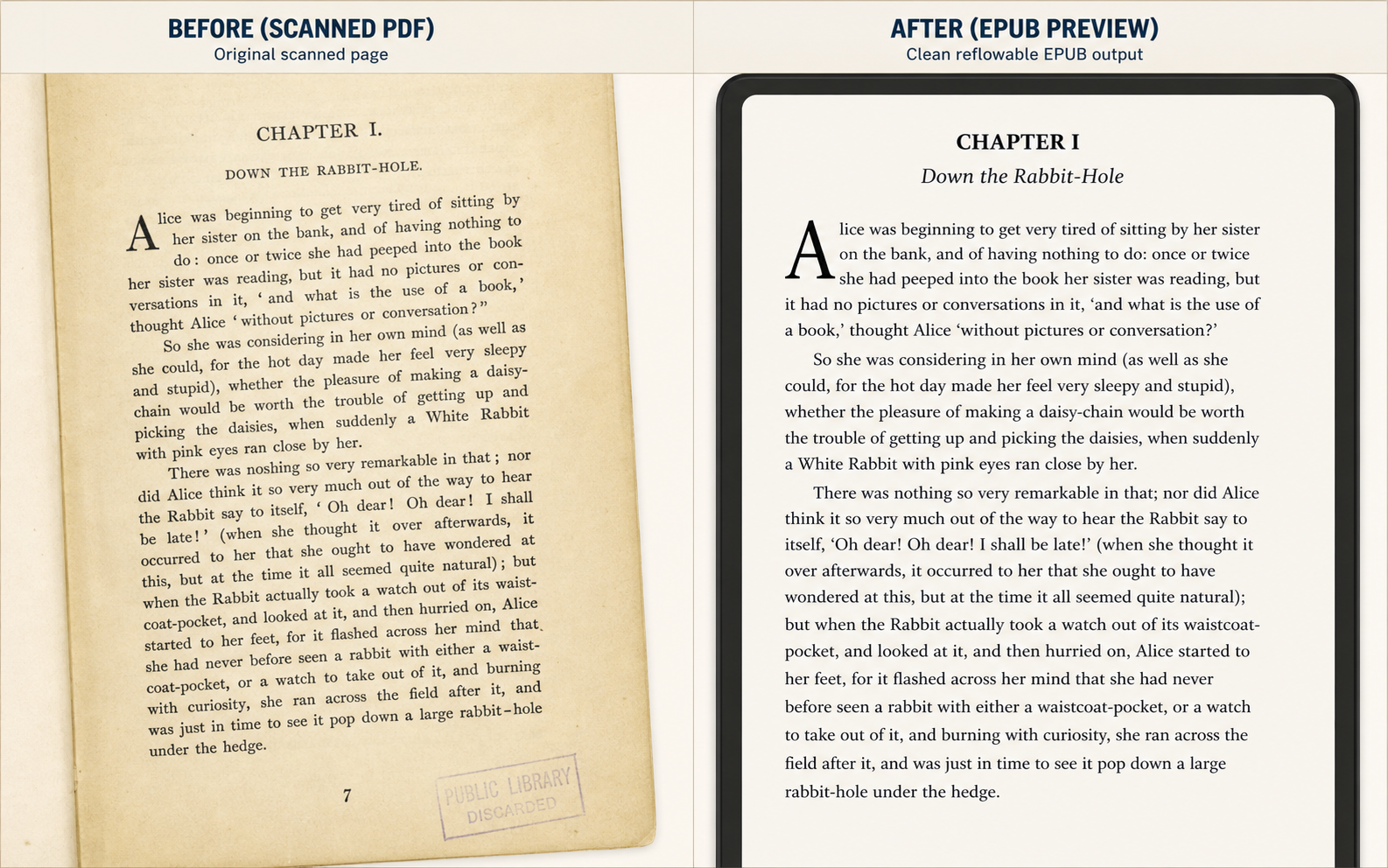
The strongest test is not whether the cover appears. Read a paragraph long enough to wrap across several lines, then move to a later chapter. Look for headings that remain connected to their content, paragraphs that do not break after every source-PDF line, and images or captions that remain understandable in context.
PDF conversion is an interpretation task, especially when the original has scans, columns, tables, footnotes, or running page furniture. The Mac reader can show the resulting reading experience, but it cannot infer a missing chapter hierarchy or reconstruct unreadable OCR. When a particular source page has a problem, identify that page in the preview and repair the conversion decision there.
Keep the original PDF when exact layout is the content. A design manual, form, score, or complex table may be more useful in PDF even if a text-first EPUB is available for continuous reading. The goal is not to make every document look identical; it is to preserve the reading job that matters.
- Check the table of contents before relying on chapter navigation.
- Read a long paragraph at a comfortable font size.
- Compare one image or caption against the source PDF.
- Keep fixed-layout reference pages in PDF when that layout carries meaning.
Do not mistake a provider handoff file for an EPUB
Apple's documentation is careful about the word many. It says Books can import many EPUB books, and it calls out ACSM, AZW, and ODM files as content that can be opened only in the associated third-party app. That is a useful boundary: the correct response to a file that is not a regular EPUB is to use the provider's app, not to repeatedly rename the file and hope Books accepts it.
If a normal .epub file fails, first rule out an incomplete download and retry the import. If the book came from a store, school, or library service, check the file extension and its delivery instructions. Provider-specific access is different from a personal EPUB you downloaded or generated from your own PDF.
Make conversion and reading a repeatable Mac workflow
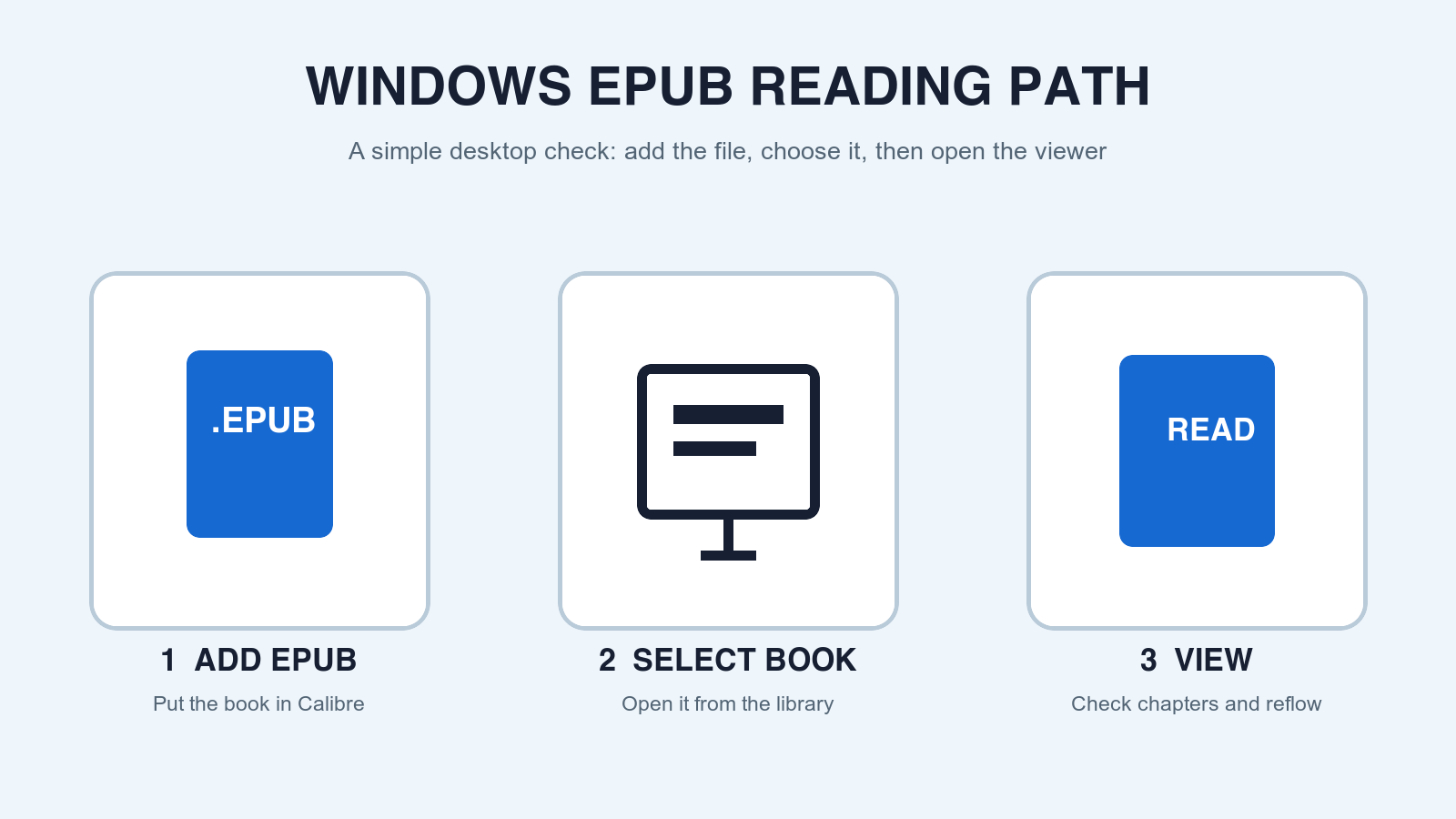
For a PDF you own or are allowed to convert, the repeatable sequence is simple: preview the source, download the EPUB, import it into Books, and read a representative sample. A preview-first workflow reduces the chance that you will spend time importing a long book only to discover that its first chapter needs OCR or its table of contents needs repair.
Record the failure in reader language. Instead of saying that the file looks odd, note that a chapter link goes to the wrong section, that page numbers are in body text, or that a table lost its order. That makes the next conversion decision precise and prevents an endless cycle of moving the same flawed EPUB between reader apps.
Official sources
Reader behavior verified against publisher documentation
App interfaces can change. These direct sources are kept here so the reader path can be checked against the current product documentation.
-
Import books, audiobooks, or PDFs in Books on Mac
Apple Support
Documents importing many EPUB books via File > Import or drag and drop, and identifies formats that need a third-party app.
-
EPUB 3.3
W3C
Defines EPUB as a packaged digital-publication format with reflowable and fixed-layout capabilities.
Before you move the file
Preview the PDF-to-EPUB result first.
Inspect the first pages for OCR, headings, images, page-number leaks, and reading-order risk before downloading an EPUB to this reader.
Questions
FAQ
Can Apple Books open EPUB files on Mac?
Apple says Books on Mac can import many EPUB books. Open Books, choose File > Import, select the .epub file, and open it from the library.
Why does an EPUB not open in Apple Books?
Confirm that it is a complete .epub file. Apple notes that ACSM, AZW, and ODM files need their associated third-party app, so a provider handoff file may not be a normal EPUB import.
Can I drag an EPUB into Books on Mac?
Yes. Apple documents dragging and dropping books into the Books library as an alternative to File > Import.
Does a successful import prove that the PDF conversion is good?
No. It proves that the app accepted the package. Check navigation, a long paragraph, and a later chapter to decide whether the reading flow is correct.