
पूर्वावलोकन तैयार
जैसे ही जनरेशन पूरी होगी, आपका प्रीव्यू सारांश यहाँ दिखेगा।
भाषा सुझाव
स्कैन PDF से EPUB, बिना अंधे अनुमान के
एक स्कैन PDF अपलोड करें, पहले 10 पन्नों का असली EPUB प्रीव्यू बनाएं, और फिर तय करें कि पूरी कन्वर्ज़न पर और समय लगाना सही है या नहीं।
एक स्कैन PDF डालें, पहले 10 पन्ने EPUB में देखें, और अगर स्कैन पूरी रूपांतरण प्रक्रिया के लायक नहीं है तो जल्दी रुक जाएं।
Pro शुरू करें सबसे उपयोगीडेमो आज़माएँ
यह पूर्वावलोकन प्रवाह केवल पहले 10 पन्नों को पैकेज करता है। अगर शीर्षक, पंक्ति विराम या सूत्र अभी भी टूटे दिखें, तो बड़े रूपांतरण कार्य से पहले यहीं रुक सकते हैं।
प्रीव्यू स्थिति
प्रोसेस हो रहा है
प्रीव्यू शुरू करने के लिए ऊपर PDF अपलोड करें।
प्रीव्यू पन्ने
0
OCR उपयोग
0
समीक्षा आवश्यक
0
पूर्वावलोकन तैयार
जैसे ही जनरेशन पूरी होगी, आपका प्रीव्यू सारांश यहाँ दिखेगा।
इनलाइन प्रीव्यू
पहले कुछ पेज यहीं देखें, फिर अगर पढ़ना ठीक लगे तो EPUB डाउनलोड करें।
ज़्यादातर उपयोगकर्ताओं को ऊपर वाले PDF अपलोड से शुरुआत करनी चाहिए। इसे तभी खोलें जब आपको रूपांतरण से पहले निकला हुआ पाठ पंक्ति दर पंक्ति देखना हो।
इसे तभी उपयोग करें जब आप निकाले गए एक पेज को हाथ से जांचना चाहते हों। मुख्य रास्ता अभी भी ऊपर वाला PDF अपलोड है।
कुल स्कोर
55/100
मिले हुए मुद्दे
3
समीक्षा आवश्यक
2
गंभीर
0
टूटा शब्द-विभाजन
टूटा हुआ शब्द-विभाजन मिला।
सूत्र संरचना जोखिम
सूत्र जैसा पाठ मिला; प्रस्तुतिकरण की रणनीति जांचें।
पेज नंबर बचा रहना
आखिरी पंक्ति पेज नंबर जैसी दिखती है।
सीधा उत्तर
PDF से EPUB कन्वर्टर किसी PDF फ़ाइल, दस्तावेज़, किताब या स्कैन को ऐसे ई-बुक में बदलता है जो स्क्रीन के अनुसार बह सके। यह टूल पहले पूर्वावलोकन बनाता है: एक PDF अपलोड करें, पहले 10 पेज का EPUB बनाएं, फिर OCR, चित्र, फॉर्मेटिंग और लेआउट जोखिम देखें।
यह उत्पाद अभी पूरा प्रकाशन प्रवाह नहीं है। यह पहले एक सवाल का जवाब देता है: क्या यह स्कैन PDF बिना और समय बर्बाद किए पढ़ने योग्य EPUB बन सकता है?
1
एक स्कैन PDF चुनें और शुरुआती पन्नों से छोटा EPUB पूर्वावलोकन बनाएं।
2
पूर्वावलोकन खोलें और देखें कि पंक्ति विराम, शीर्षक, सूत्र और कैप्शन अभी भी पढ़ने योग्य हैं या नहीं।
3
पूरी रूपांतरण प्रक्रिया आगे बढ़ाएं, स्रोत को ठीक करें, या खराब स्कैन पर और मेहनत लगाने से पहले रुक जाएं।
रीडर्स बार-बार जिन समस्याओं से टकराते हैं
Reddit, Calibre चर्चाओं और ई-रीडर मंचों पर स्कैन की हुई किताबें पढ़ने वाले लोग बार-बार वही परेशानियां बताते हैं। यह पूर्वावलोकन पूरी रूपांतरण प्रक्रिया से पहले उन्हीं सवालों का जवाब देता है।
01
कई स्कैन PDF असल में सिर्फ पेज फोटो होते हैं। उपयोगी टेक्स्ट लेयर के बिना कन्वर्टर रुक जाते हैं, फाइल बहुत बड़ी हो जाती है, या हर पेज को इमेज की तरह जोड़ दिया जाता है।
02
छिपी हुई OCR परतों में टूटे शब्द, गलत उद्धरण चिह्न, अजीब निशान और ऐसे पंक्ति विराम होते हैं जो खोज में ठीक लगते हैं, लेकिन बहते हुए पाठ में टूट जाते हैं।
03
वैज्ञानिक लेख और पुरानी पत्रिकाएं पढ़ने का क्रम जल्दी खो देती हैं। बहु-कॉलम लेआउट, प्रदर्शित गणित और चित्र कैप्शन सबसे आम टूटने वाली जगहें हैं।
04
PDF खुल भी जाए, तो छोटी स्क्रीन पर पढ़ना अक्सर ज़ूम, खिसकाना, काटना और दोहराना बन जाता है। उपयोगकर्ता पहले जानना चाहते हैं कि बहता हुआ पाठ सच में पढ़ने लायक होगा या नहीं।
ये उदाहरण वह दिखाते हैं जो शब्द नहीं दिखा सकते: अलग-अलग स्कैन PDF रूपांतरण से पहले कैसे दिखते हैं, और भरोसेमंद EPUB पूर्वावलोकन को क्या बचाकर रखना चाहिए।
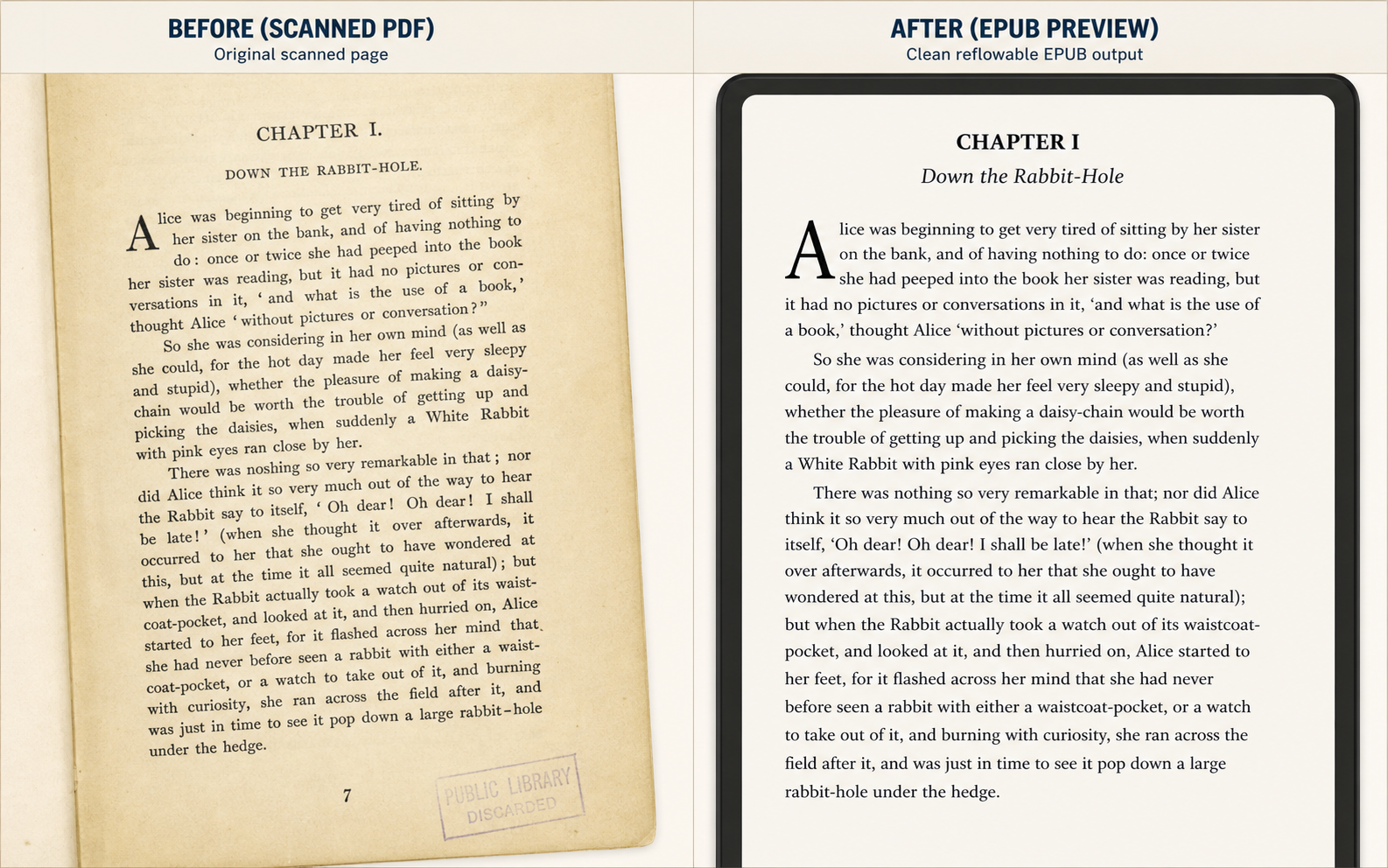
उदाहरण 1
पहले जांचें कि पीला पड़ा स्कैन छोटे पाठक यंत्र पर आराम से पढ़ा जा सकता है या नहीं।
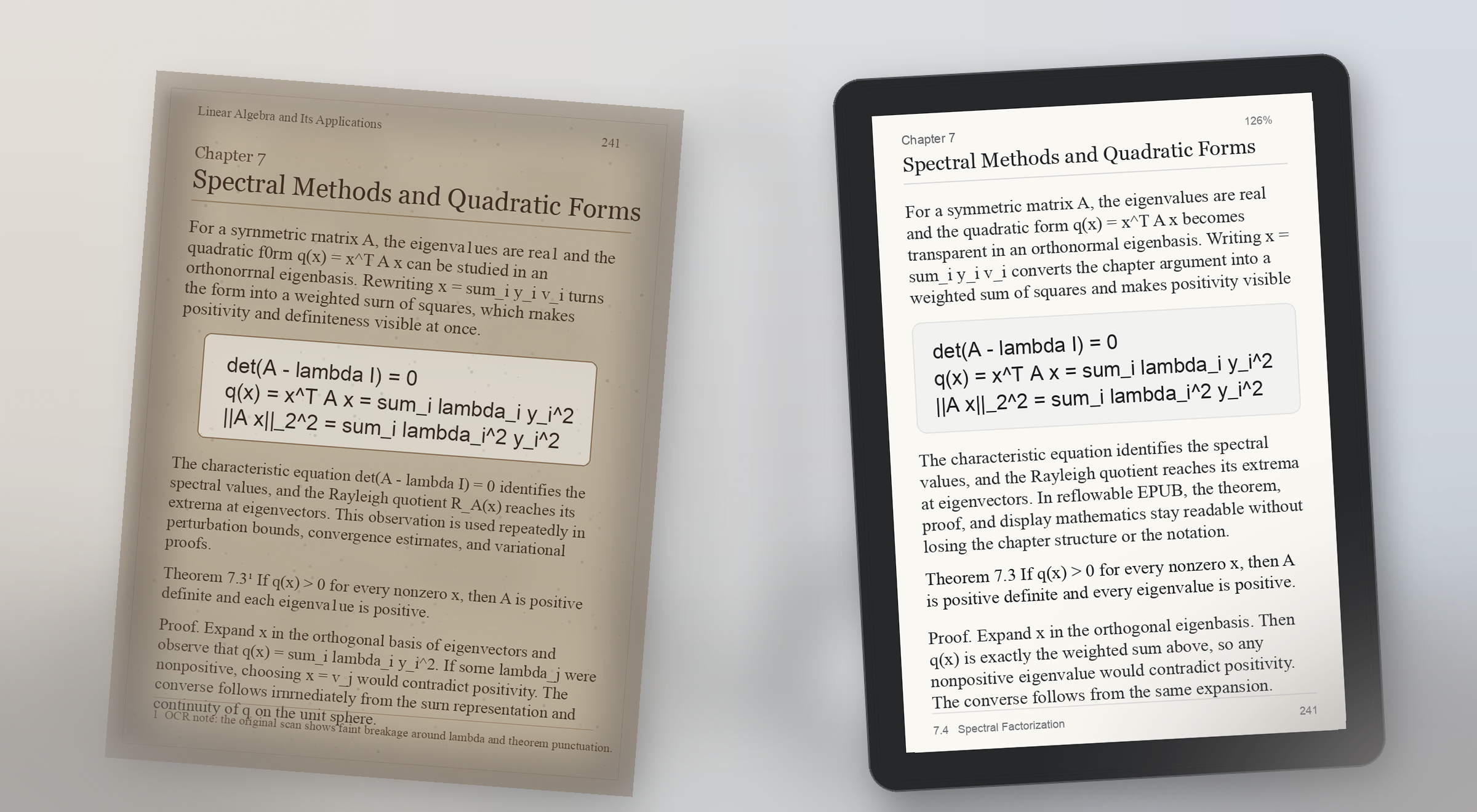
उदाहरण 2
सूत्र वाले पृष्ठ जल्दी टूटते हैं; पूर्वावलोकन को अर्थ सुरक्षित रहने का प्रमाण देना चाहिए।
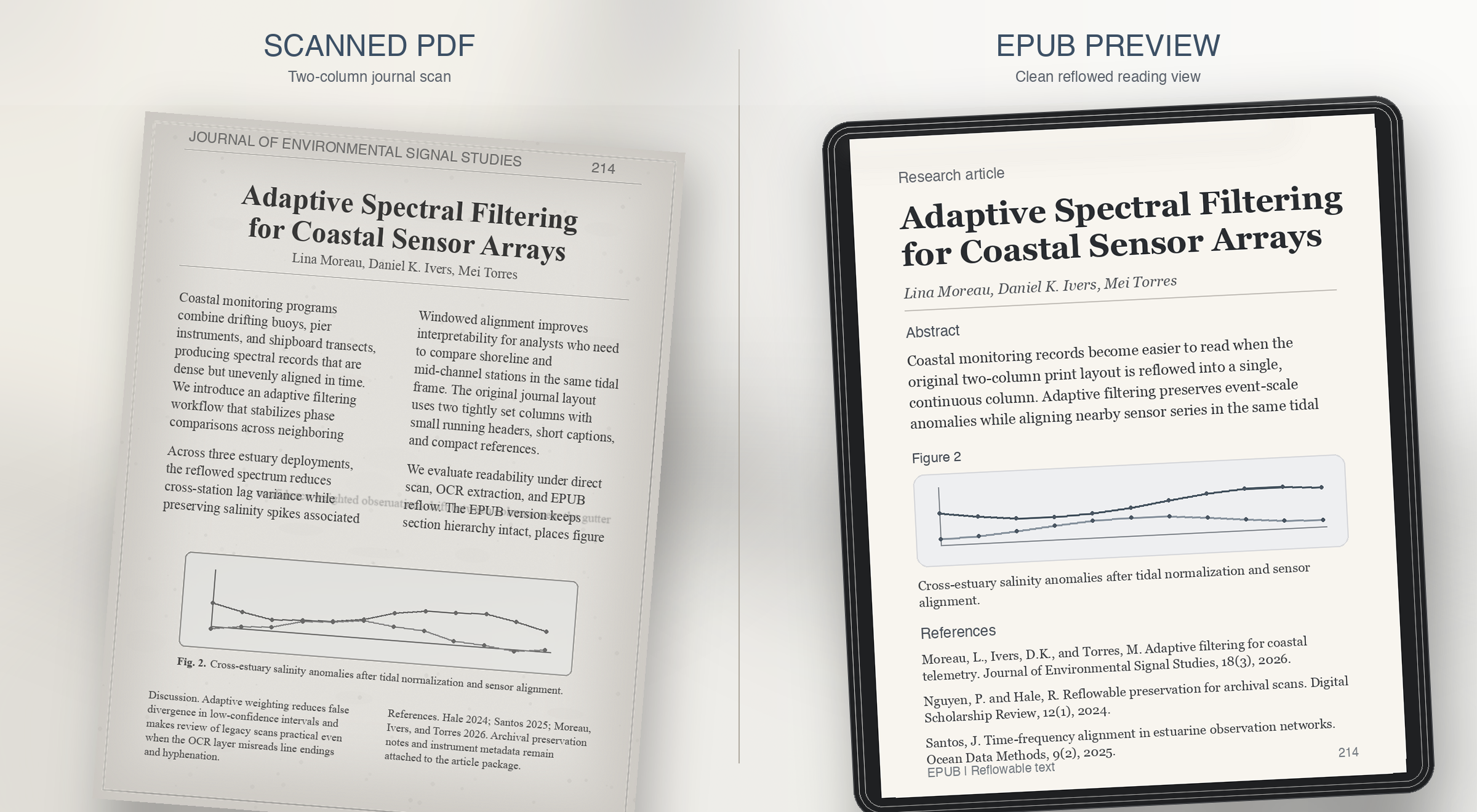
उदाहरण 3
पूर्वावलोकन को दिखाना चाहिए कि कॉलम, कैप्शन और संदर्भ आपस में नहीं मिले।
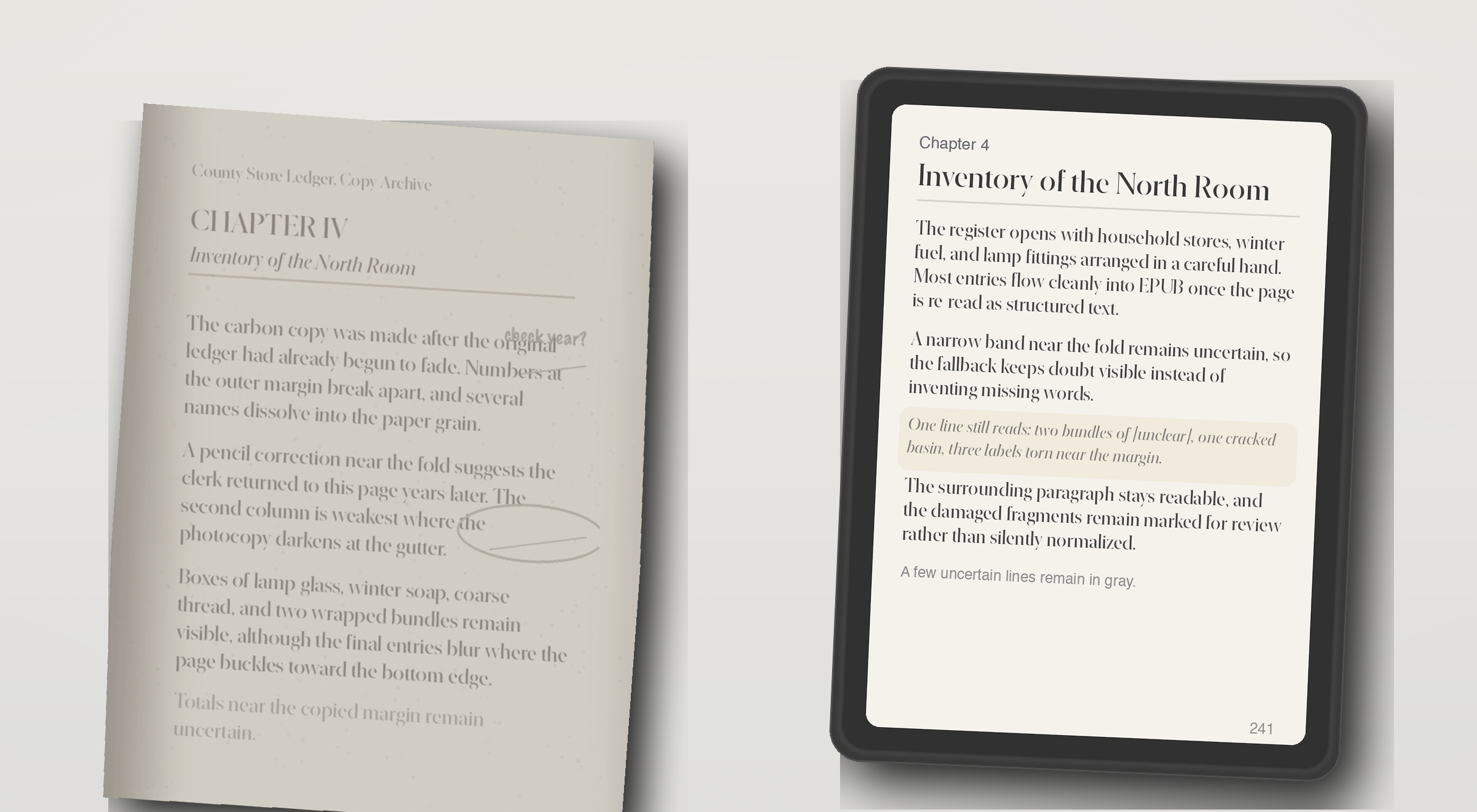
उदाहरण 4
जब पाठ परत नहीं होती, पूर्वावलोकन को बिना बढ़ा-चढ़ाकर OCR की असली स्थिति दिखानी चाहिए।


भुगतान वाले प्लान
हर महीने EPUB में बदलने वाले PDF की संख्या और हर PDF की पेज सीमा के अनुसार चुनें। सभी प्लान में OCR, फ़ॉर्मैटिंग, चित्र और लेआउट जांच शामिल है।
Starter
$29 प्रति माह
Pro
$49 प्रति माह
Studio
$99 प्रति माह
भुगतान ईमेल वन-टाइम लॉगिन के बाद Stripe से होता है। Starter, Pro और Studio भुगतान वाले प्लान हैं; सीमित पूर्वावलोकन सार्वजनिक मुफ्त प्लान नहीं है।
यह PDF से EPUB पूर्वावलोकन बनाता है और निकाले गए पाठ, OCR, पृष्ठ संख्या, टूटे शब्द, खाली जगह और लेआउट जोखिम की जांच करता है।
स्व-सेवा प्रवाह पहले शुरुआती पृष्ठों की गुणवत्ता दिखाता है। पूरा रूपांतरण या उन्नत मरम्मत उस नमूने को देखने के बाद तय करनी चाहिए।
हाँ, अगर OCR पढ़ने योग्य पाठ वापस ला सके। पूर्वावलोकन दिखाता है कि कौन से पृष्ठ भरोसेमंद हैं और किनकी समीक्षा चाहिए।
एक कॉलम वाले, चुनने योग्य पाठ, स्थिर शीर्षक और कम जटिल तालिका या चित्र वाले PDF आम तौर पर बेहतर बदलते हैं।
PDF स्थिर पृष्ठ रखता है, जबकि EPUB पढ़ने का प्रवाह बनाता है। संरचना न मिले तो पंक्ति टूटना, पृष्ठ संख्या, कैप्शन और कॉलम मुख्य पाठ में मिल जाते हैं।
पूरा दस्तावेज़ चलाने से पहले स्रोत PDF सुधारें या सहायक मरम्मत पर विचार करें।
OCR सुधार, EPUB पूर्वावलोकन और पूरी किताब रूपांतरण उपलब्धता की जानकारी पाएं।