扫描 PDF 转 EPUB,不再盲转

把扫描版图书 先变成可读的 EPUB 再决定要不要继续做 整本转换。

上传一本扫描版 PDF,先生成前 10 页的真实 EPUB 预览,再决定这份源文件值不值得继续做完整转换。

直接答案

扫描 PDF 转 EPUB 转换器是什么?

扫描 PDF 转 EPUB 转换器会把图片型 PDF 图书变成可重排阅读的 EPUB。Scanned PDF to EPUB 采用先预览再转换的路径:上传一份 PDF,先生成前 10 页 EPUB 预览,再检查 OCR 和版面风险,最后决定是否继续整本转换。

  • 输入:一份最大 64 MB 的扫描 PDF。
  • 输出:可下载的前 10 页 EPUB 预览。
  • 质量检查:空 OCR、页码残留、断词、间距损坏、公式和版面风险。
  • 适合场景:扫描书、公共版权档案、学术 PDF、Kindle 和 Kobo 阅读流程。

  • 上传 1 个 PDF
  • 预览前 10 页
  • 先看 OCR 风险
  • 对比前后样例

上传扫描 PDF,直接生成预览 EPUB。

上传一份扫描 PDF,先看前 10 页 EPUB 效果,不值得继续就立刻停。

立即试用

选择一份扫描 PDF,现在就生成预览。

当前预览流程只处理前 10 页。如果标题、断行或公式仍然很乱,你可以在这里直接止损。

  • 最大 64 MB
  • 仅前 10 页
  • 下载预览 EPUB

先选择一个 PDF,再点击生成预览 EPUB。

可选:先检查抽取出来的页面文字

大多数用户直接从上面的 PDF 上传开始。只有在你想逐行检查抽取文本时,再展开这里。

只有当你需要手动检查单页抽取结果时才用这里。主流程仍然是上面的 PDF 上传。

结果

需要复查

查看完整报告

总分

55/100

发现问题

3

待复查

2

严重

0

断词错误

检测到断词错误。

复查

公式结构风险

检测到类似公式的内容,请检查渲染策略。

复查

页码残留

最后一行看起来像页码。

自动

三步,先做一个判断。

现在这个产品不是完整出版流水线,它先回答一个问题:这份扫描 PDF 值不值得继续投入时间去做成可读 EPUB?

1

上传

选择一份扫描 PDF,先生成前几页的短 EPUB 预览。

2

阅读

打开预览,检查断行、标题、公式和图注在真实阅读场景里是否还清晰可读。

3

决定

决定继续整本转换、先修源文件,还是尽早停止,不再把时间浪费在糟糕扫描上。

用户反复遇到的问题

Reddit 和电子书论坛里,反复出现的就是这四类抱怨。

无论是 Calibre 讨论区、Reddit,还是 e-reader 论坛,扫描书转换的痛点基本都集中在这几件事。这个预览页就是为了先把这些问题看清。

01

转换卡在 1%,或者导出来还是整页图片。

很多扫描 PDF 本质上只是页面照片。没有可用文字层时,转换器要么卡住,要么把每页当图片塞进 EPUB。

02

PDF 能搜索,不代表 EPUB 读起来正常。

隐藏的 OCR 文字层经常带着断词、引号错误、奇怪符号和糟糕断行,搜索能用,阅读却很差。

03

表格、公式、图注、双栏最容易乱。

学术论文和旧期刊最容易在阅读顺序上出问题,公式、图注和参考文献也最容易失真。

04

PDF 是为打印设计的,不是为 6 寸屏设计的。

很多文件即使能打开,也会变成不断缩放、平移、裁边。用户真正想知道的是:重排之后到底能不能读。

扫描 PDF 转 EPUB 的前后对比样例。

这些样例比文案更有说服力:它们直接展示不同类型的扫描 PDF 在转换前是什么样,以及一个可信的 EPUB 预览应该保住哪些阅读结构。

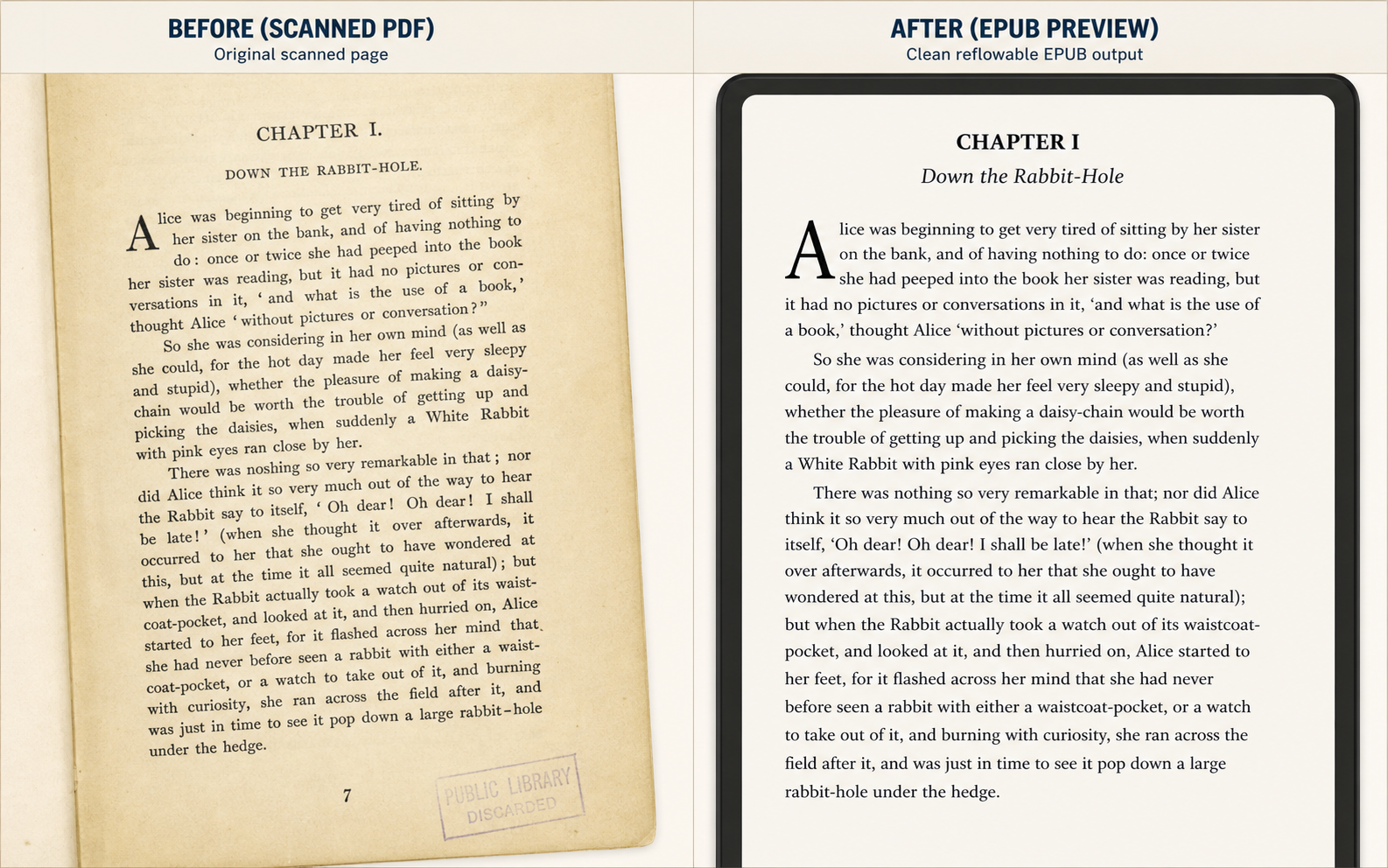
Before and after scanned PDF to EPUB example for a historical novel page, showing a yellowed book scan on the left and a clean reflowable EPUB preview on the right
Historical novel scan to EPUB preview: damaged paper scan on the left, clean reflowable reading view on the right.

Use Case 1

Public-domain book chapters

This is the simplest but highest-volume use case: judge whether a yellowed chapter scan becomes comfortable enough to read on a small e-reader.

  • Page numbers removed
  • Broken lines repaired
  • Reading comfort improved
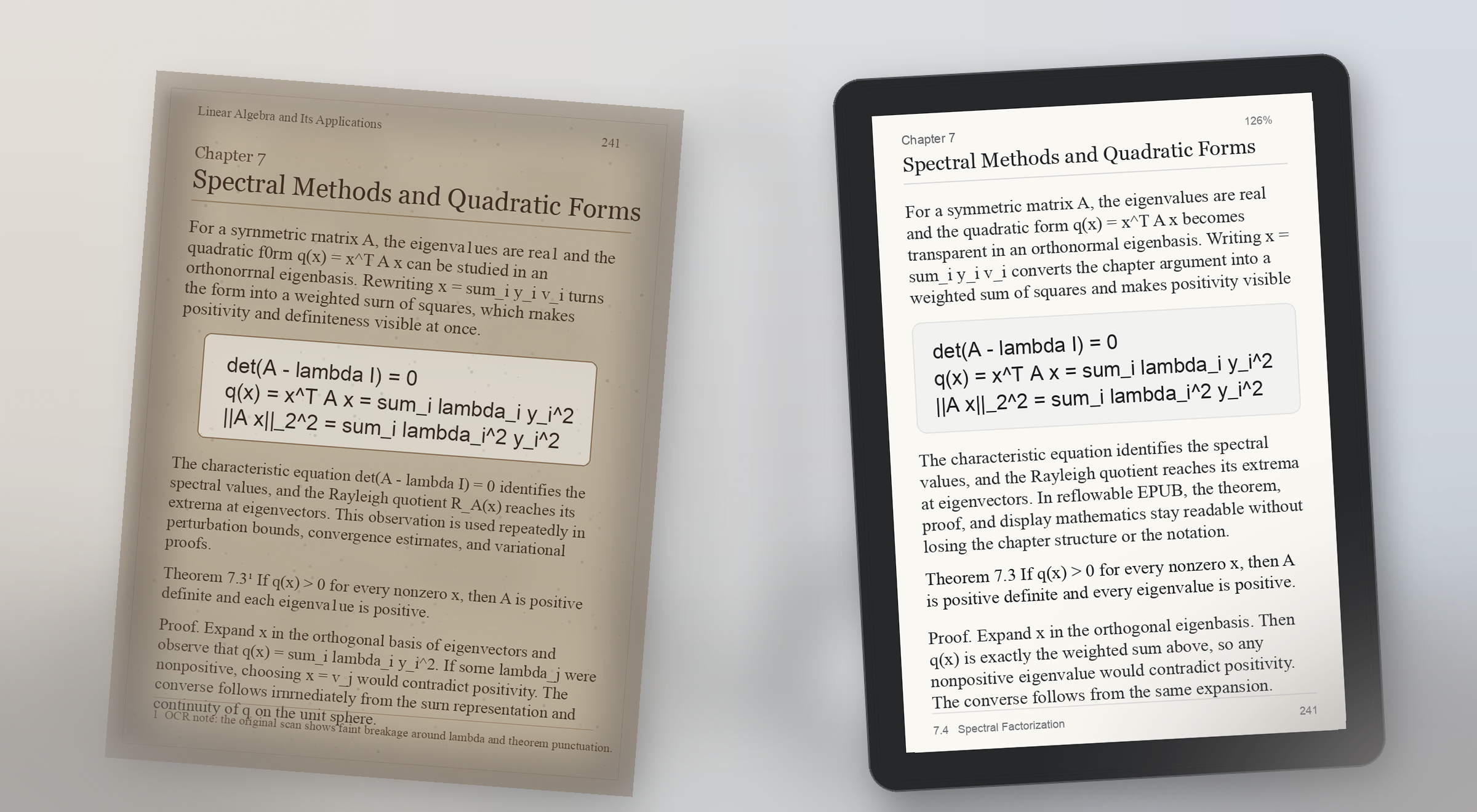
Before and after scanned PDF to EPUB example for a math-heavy textbook page, showing a faded printed page with formulas on the left and a readable EPUB preview with preserved display math on the right
Math-heavy textbook preview: scanned formulas stay visible on the left, and the EPUB proof keeps theorem structure and display math readable on the right.

Use Case 2

Math-heavy textbook PDF to EPUB

Formula pages break trust fast. A useful preview proves that equations, theorem blocks, and surrounding explanation still make sense on a real reading device.

  • Display math preserved
  • Theorem blocks readable
  • Small-screen proof check
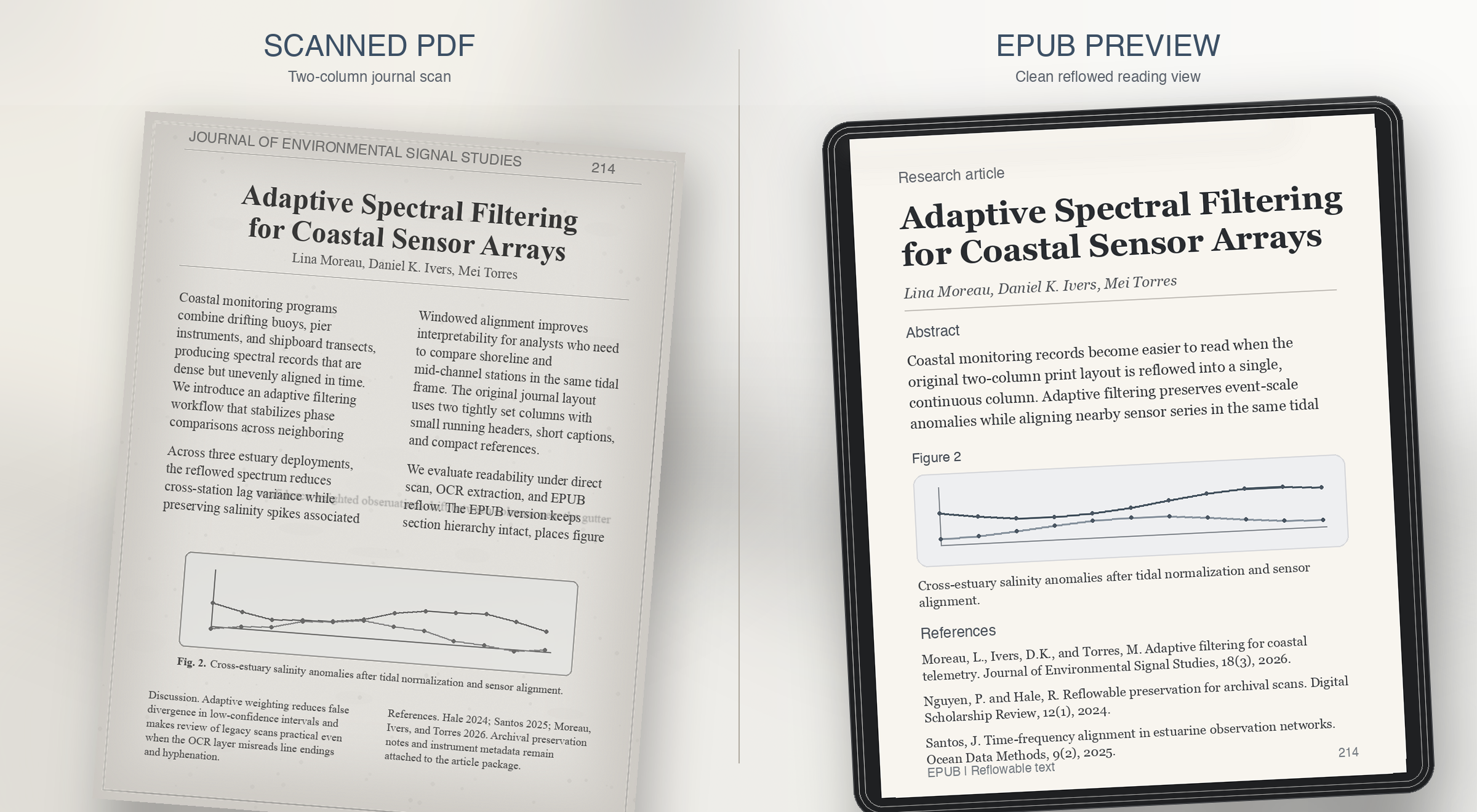
Before and after scanned PDF to EPUB example for a two-column journal article, showing a grayscale academic scan on the left and a clean single-column EPUB preview on the right
Two-column journal preview: dense print on the left, a single readable column with figure captions and references restored on the right.

Use Case 3

Two-column journal article to EPUB

Research journals usually fail on reading order. The preview should prove that columns, captions, and references survive reflow instead of collapsing together.

  • Column order resolved
  • Figure captions restored
  • References kept readable
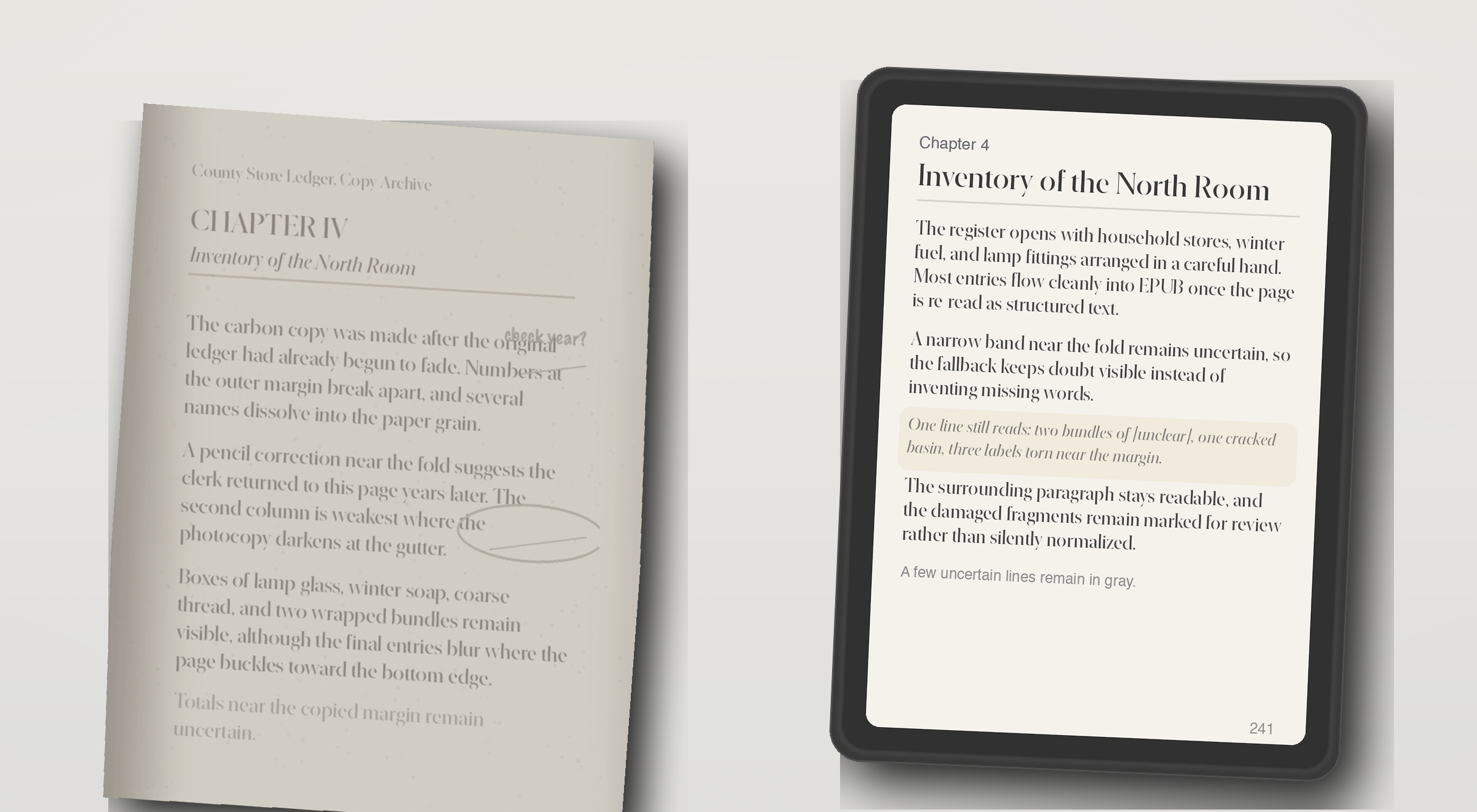
Before and after scanned PDF to EPUB example for an image-only archive scan, showing a faded photocopy on the left and an EPUB preview with partially recovered text on the right
OCR fallback preview: a weak archive photocopy on the left, and recovered but still honest EPUB text on the right.

Use Case 4

Image-only scan with OCR fallback

Some PDFs have no usable text layer at all. The right behavior is not fake confidence, but a preview that shows what OCR recovered and what still needs review.

  • Weak scan recovered
  • Unclear lines still visible
  • Review still required

用户在信任扫描书转换器之前,通常会问这些问题。

What does the live demo check today?

The live checker runs the repo's quality rules against extracted page text. It flags empty OCR output, page-number leaks, broken hyphenation, bad spacing, and formula-structure risk.

Does the current site convert a full scanned PDF into EPUB?

The current demo can generate a preview EPUB directly from an uploaded PDF. Production-grade full-book conversion still needs stronger layout recovery, better OCR repair, EPUB validation, and job orchestration.

Is it safe to test a page from a private book or archive?

In this demo, the PDF is uploaded to the current preview service so it can generate a sample EPUB. Review your deployment and privacy settings before testing private material. The page checker still exists for users who want to inspect extracted text before uploading.

What formats does this workflow aim to support?

The wedge is scanned PDF input, extracted page text for diagnosis, and a reflowable EPUB preview for reading on Kindle- and Kobo-style devices. It is not trying to become a broad everything-to-everything converter.

How accurate does the preview need to be?

Accurate enough to judge reading comfort and obvious structural damage. The preview is meant to answer whether the book feels clean enough to continue, not to replace final editorial review for every edge case.

Can it fix OCR problems automatically?

Some cleanup can be automated, but the product should stay honest about uncertainty. The key promise is to surface where review is needed so the user can decide whether to repair, crop, rerun OCR, or stop.

What happens with math, tables, or damaged layouts?

Those are the pages most likely to trigger risk labels. Formula structure, tabular alignment, footnotes, and badly cropped scans often need targeted repair before an EPUB is truly comfortable to read.

Who is this product for?

Readers and document owners with scanned books, academic PDFs, or public-domain material who want a reflowable EPUB for Kindle or Kobo without proofreading every page manually.

Why not use a generic PDF to EPUB converter?

Generic converters export files, but they rarely explain where OCR or layout recovery failed. This product is designed to show risk before the user commits to a full conversion.

Can I preview a scanned PDF before converting the whole book?

Yes. The main demo flow is designed around that exact question: upload one PDF, inspect the first pages, review OCR risk, and judge whether the full book is worth converting.

What kinds of scanned PDF examples matter most?

The most useful examples are before-and-after comparisons for noisy OCR, math-heavy academic pages, two-column journal layouts, footnotes, captions, and image-only scans that need OCR fallback.

What should a scanned PDF to EPUB preview prove?

It should prove reading comfort, not just file export. A good preview shows whether line breaks, page numbers, formulas, headings, columns, and captions still make sense on a small reading device.

先看页面,再决定是否继续。

先上传 PDF 或跑一次页面检测。demo 无需注册;需要保存记录和后续整本转换时,再用一次性登录进入。

一次性登录

一次登录,解锁保存预览和整本转换。

不用密码,直接用邮箱一次性验证码登录。后续可保存预览记录、排队整本转换、管理待复查页面。

不需要长注册流程,只要邮箱和一次性验证码。

保存的预览

预览历史

使用一次性验证码登录后,才能保存预览并再次打开。