PDF digitalizado para EPUB, sem aposta cega

Transforme livros digitalizados em um EPUB legível antes de pagar pela conversão completa.

Envie um PDF digitalizado, gere uma prévia EPUB real das primeiras 10 páginas e decida se o arquivo merece uma conversão completa antes de gastar mais tempo limpando tudo.

Direct answer

What is a scanned PDF to EPUB converter?

A scanned PDF to EPUB converter turns an image-based PDF book into a reflowable EPUB. Scanned PDF to EPUB focuses on a preview-first path: upload one PDF, generate an EPUB preview from the first 10 pages, then check OCR and layout risk before a full-book conversion.

  • Input: one scanned PDF up to 64 MB.
  • Output: a downloadable EPUB preview from the first 10 pages.
  • Quality checks: empty OCR, page-number leaks, broken hyphenation, spacing damage, and formula/layout risk.
  • Best fit: scanned books, public-domain archives, academic PDFs, Kindle and Kobo reading workflows.

  • Envie um PDF
  • Prévia de 10 páginas
  • Veja o risco de OCR antes de converter
  • Compare exemplos antes e depois

Envie um PDF digitalizado. Receba uma prévia EPUB.

Solte um PDF digitalizado, visualize as primeiras 10 páginas como EPUB e pare cedo se o scan não valer uma conversão completa.

Teste a demo

Escolha um PDF digitalizado e gere a prévia agora.

Esta demo local empacota apenas as primeiras 10 páginas. Se títulos, quebras de linha ou fórmulas ainda estiverem quebrados, você pode parar por aqui antes de um trabalho maior.

  • Até 64 MB
  • Primeiras 10 páginas
  • Baixar prévia EPUB

Escolha um PDF acima e depois gere a prévia EPUB.

Opcional: inspecione primeiro o texto extraído

A maioria das pessoas deve começar pelo envio do PDF. Abra isto apenas se você precisar revisar o texto extraído linha por linha antes da conversão.

Use isto apenas quando quiser inspecionar manualmente uma única página extraída. O caminho principal continua sendo o envio do PDF.

Resultado

Precisa de revisão

Ver relatório completo

Pontuação geral

55/100

Problemas encontrados

3

Revisão necessária

2

Crítico

0

Hifenizacao quebrada

Hifenizacao quebrada detectada.

revisar

Risco na estrutura da formula

Texto semelhante a formula detectado; revise a estrategia de renderizacao.

revisar

Vazamento de numero de pagina

A ultima linha parece um numero de pagina.

auto

Três passos. Uma decisão.

O produto atual não é um pipeline editorial completo. Primeiro ele responde a uma pergunta: este PDF digitalizado pode virar um EPUB legível sem desperdiçar mais tempo?

1

Enviar

Escolha um PDF digitalizado e gere uma prévia EPUB curta a partir das primeiras páginas.

2

Ler

Abra a prévia e verifique se quebras de linha, títulos, fórmulas e legendas continuam legíveis.

3

Decidir

Siga para a conversão completa, repare a origem ou pare antes de gastar mais esforço com um scan ruim.

O que os leitores continuam enfrentando

As mesmas quatro reclamações aparecem de novo e de novo.

No Reddit, em tópicos do Calibre e em fóruns de e-readers, quem lê livros escaneados repete as mesmas frustrações. A prévia existe para responder isso antes da conversão completa.

01

Fica travado em 1% ou exporta imagens de página em vez de texto.

Muitos PDFs digitalizados são apenas fotos de páginas. Sem uma camada de texto útil, os conversores travam, incham o arquivo ou incorporam cada página como imagem.

02

O PDF é pesquisável, mas o texto do EPUB continua feio.

Camadas OCR ocultas costumam trazer hifenização quebrada, aspas erradas, símbolos estranhos e quebras de linha que funcionam na busca, mas falham na leitura com reflow.

03

Tabelas, fórmulas, legendas e colunas desmoronam.

Artigos científicos e revistas antigas perdem rapidamente a ordem de leitura. Colunas, matemática exibida e legendas são onde a confiança normalmente quebra.

04

PDF foi feito para impressão, não para uma tela de 6 polegadas.

Mesmo quando o PDF abre, a leitura em tela pequena vira ampliar, arrastar, recortar e repetir. O usuário quer saber se o reflow realmente vai ficar legível.

Exemplos de PDF digitalizado para EPUB, antes e depois.

Esses exemplos fazem o que a copy não consegue: mostram como diferentes PDFs digitalizados ficam antes da conversão e o que uma prévia EPUB confiável precisa preservar.
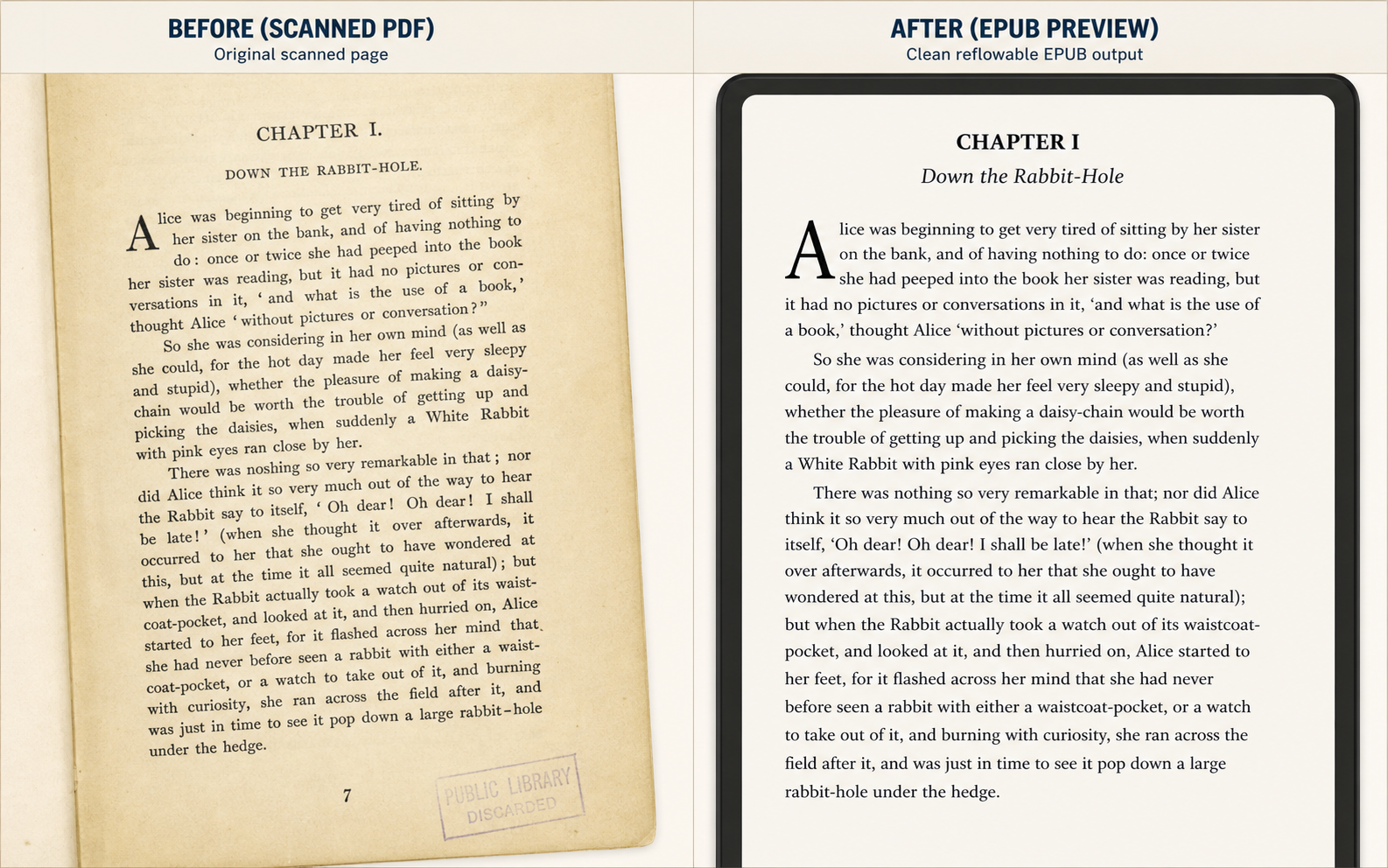
Before and after scanned PDF to EPUB example for a historical novel page, showing a yellowed book scan on the left and a clean reflowable EPUB preview on the right
Historical novel scan to EPUB preview: damaged paper scan on the left, clean reflowable reading view on the right.

Use Case 1

Public-domain book chapters

This is the simplest but highest-volume use case: judge whether a yellowed chapter scan becomes comfortable enough to read on a small e-reader.

  • Page numbers removed
  • Broken lines repaired
  • Reading comfort improved
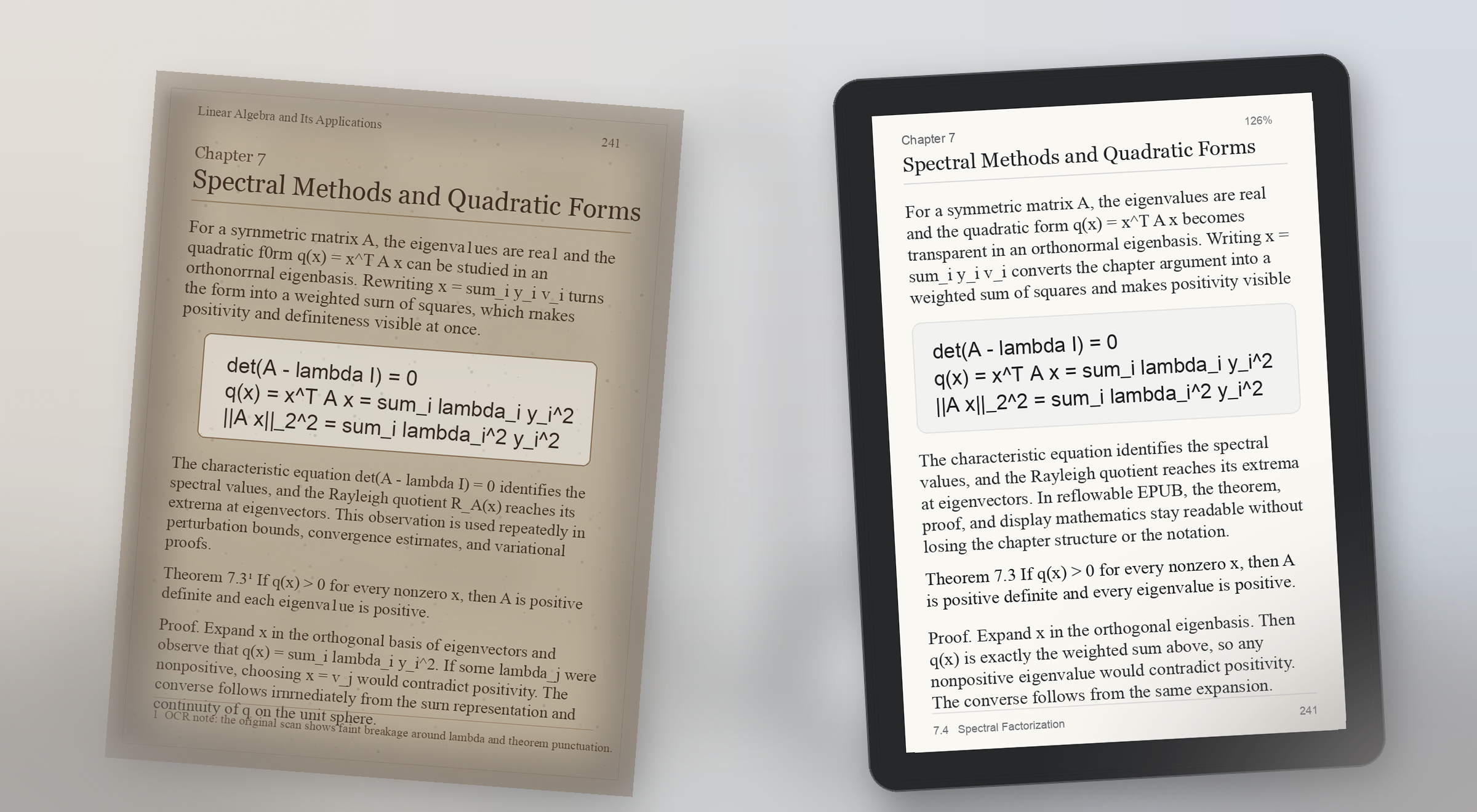
Before and after scanned PDF to EPUB example for a math-heavy textbook page, showing a faded printed page with formulas on the left and a readable EPUB preview with preserved display math on the right
Math-heavy textbook preview: scanned formulas stay visible on the left, and the EPUB proof keeps theorem structure and display math readable on the right.

Use Case 2

Math-heavy textbook PDF to EPUB

Formula pages break trust fast. A useful preview proves that equations, theorem blocks, and surrounding explanation still make sense on a real reading device.

  • Display math preserved
  • Theorem blocks readable
  • Small-screen proof check
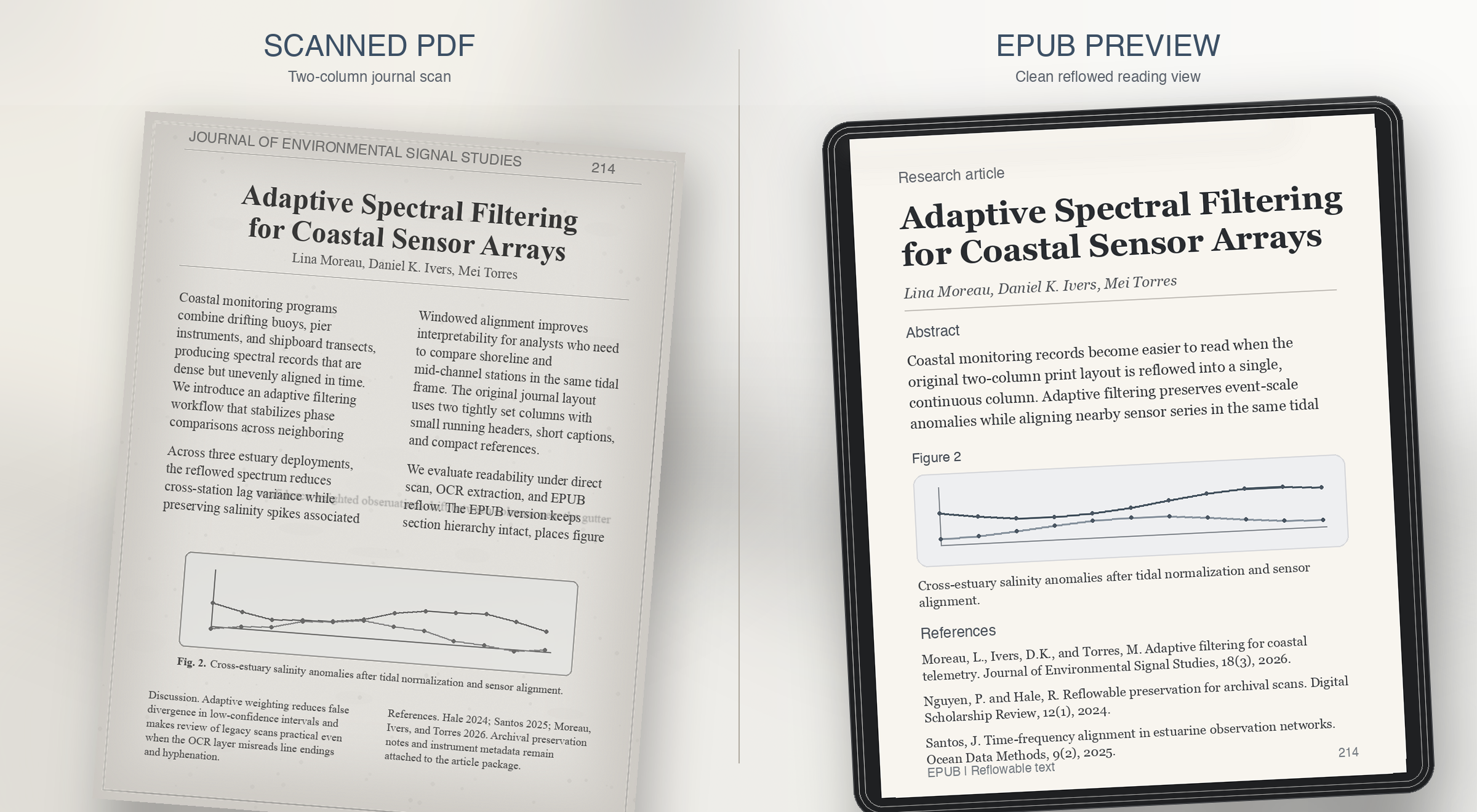
Before and after scanned PDF to EPUB example for a two-column journal article, showing a grayscale academic scan on the left and a clean single-column EPUB preview on the right
Two-column journal preview: dense print on the left, a single readable column with figure captions and references restored on the right.

Use Case 3

Two-column journal article to EPUB

Research journals usually fail on reading order. The preview should prove that columns, captions, and references survive reflow instead of collapsing together.

  • Column order resolved
  • Figure captions restored
  • References kept readable
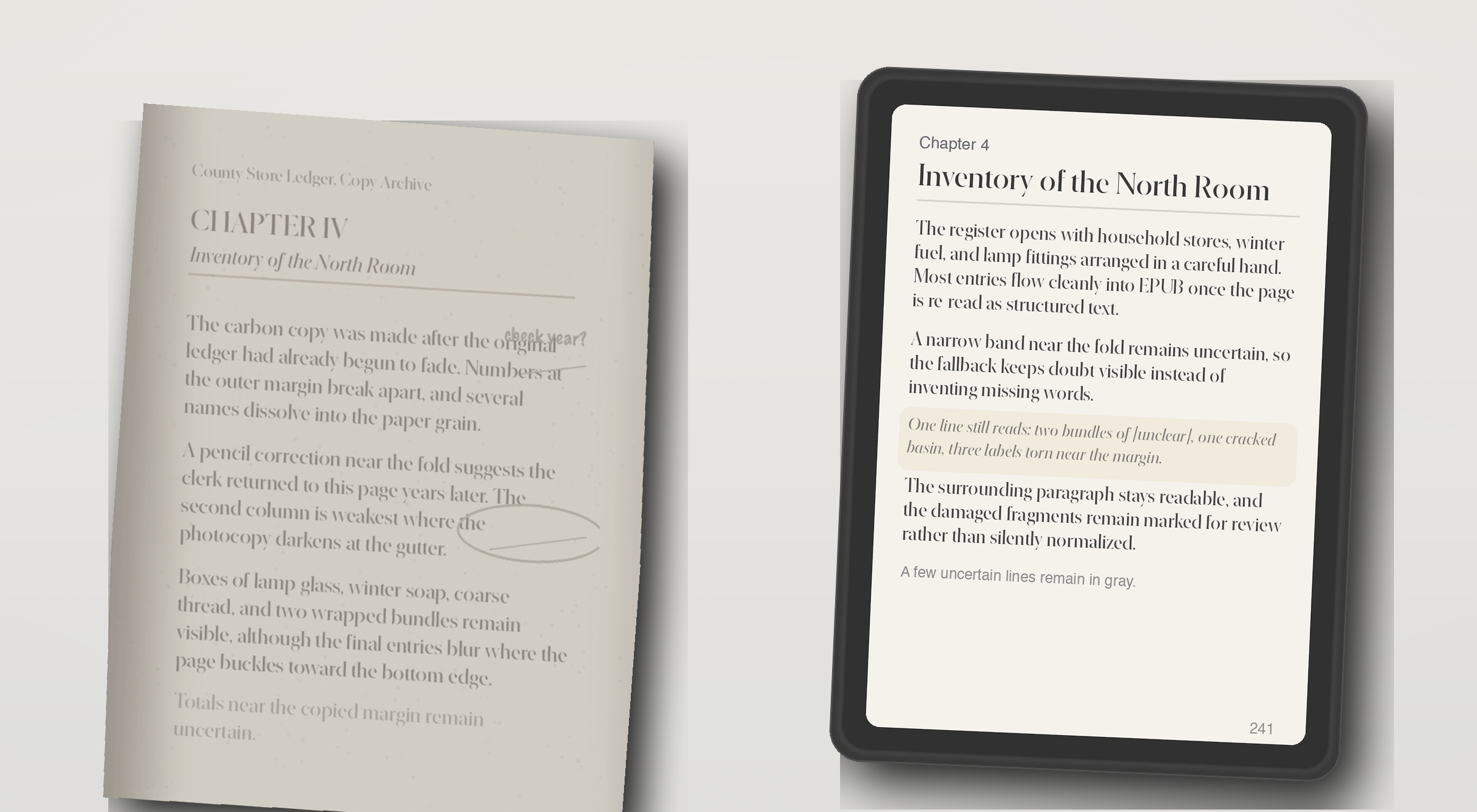
Before and after scanned PDF to EPUB example for an image-only archive scan, showing a faded photocopy on the left and an EPUB preview with partially recovered text on the right
OCR fallback preview: a weak archive photocopy on the left, and recovered but still honest EPUB text on the right.

Use Case 4

Image-only scan with OCR fallback

Some PDFs have no usable text layer at all. The right behavior is not fake confidence, but a preview that shows what OCR recovered and what still needs review.

  • Weak scan recovered
  • Unclear lines still visible
  • Review still required

Perguntas que as pessoas fazem antes de confiar em um conversor de livros escaneados.

What does the live demo check today?

The live checker runs the repo's quality rules against extracted page text. It flags empty OCR output, page-number leaks, broken hyphenation, bad spacing, and formula-structure risk.

Does the current site convert a full scanned PDF into EPUB?

The current demo can generate a preview EPUB directly from an uploaded PDF. Production-grade full-book conversion still needs stronger layout recovery, better OCR repair, EPUB validation, and job orchestration.

Is it safe to test a page from a private book or archive?

In this demo, the PDF is uploaded to the current preview service so it can generate a sample EPUB. Review your deployment and privacy settings before testing private material. The page checker still exists for users who want to inspect extracted text before uploading.

What formats does this workflow aim to support?

The wedge is scanned PDF input, extracted page text for diagnosis, and a reflowable EPUB preview for reading on Kindle- and Kobo-style devices. It is not trying to become a broad everything-to-everything converter.

How accurate does the preview need to be?

Accurate enough to judge reading comfort and obvious structural damage. The preview is meant to answer whether the book feels clean enough to continue, not to replace final editorial review for every edge case.

Can it fix OCR problems automatically?

Some cleanup can be automated, but the product should stay honest about uncertainty. The key promise is to surface where review is needed so the user can decide whether to repair, crop, rerun OCR, or stop.

What happens with math, tables, or damaged layouts?

Those are the pages most likely to trigger risk labels. Formula structure, tabular alignment, footnotes, and badly cropped scans often need targeted repair before an EPUB is truly comfortable to read.

Who is this product for?

Readers and document owners with scanned books, academic PDFs, or public-domain material who want a reflowable EPUB for Kindle or Kobo without proofreading every page manually.

Why not use a generic PDF to EPUB converter?

Generic converters export files, but they rarely explain where OCR or layout recovery failed. This product is designed to show risk before the user commits to a full conversion.

Can I preview a scanned PDF before converting the whole book?

Yes. The main demo flow is designed around that exact question: upload one PDF, inspect the first pages, review OCR risk, and judge whether the full book is worth converting.

What kinds of scanned PDF examples matter most?

The most useful examples are before-and-after comparisons for noisy OCR, math-heavy academic pages, two-column journal layouts, footnotes, captions, and image-only scans that need OCR fallback.

What should a scanned PDF to EPUB preview prove?

It should prove reading comfort, not just file export. A good preview shows whether line breaks, page numbers, formulas, headings, columns, and captions still make sense on a small reading device.

Veja a página antes de se comprometer.

Envie um PDF ou rode uma checagem de página em segundos. A demo não exige cadastro. Use o acesso único quando quiser salvar prévias e futuras conversões integrais.

Acesso único

Entre uma vez e desbloqueie prévias salvas e conversões completas.

Use um código por e-mail em vez de senha. Entre na lista para conversão integral, histórico de prévias salvas e filas de revisão.

Sem senha e sem cadastro longo. Um e-mail, um código, uma sessão.

Saved previews

Preview history

Sign in with a one-time code to save previews and reopen them later.